Record an artist who is somewhere else.
They open the app, you record them on a track in your DAW. The audio goes straight between the two machines, full quality, encrypted end to end. With a proper interface and a decent line on both sides it gets close to having them in the room.
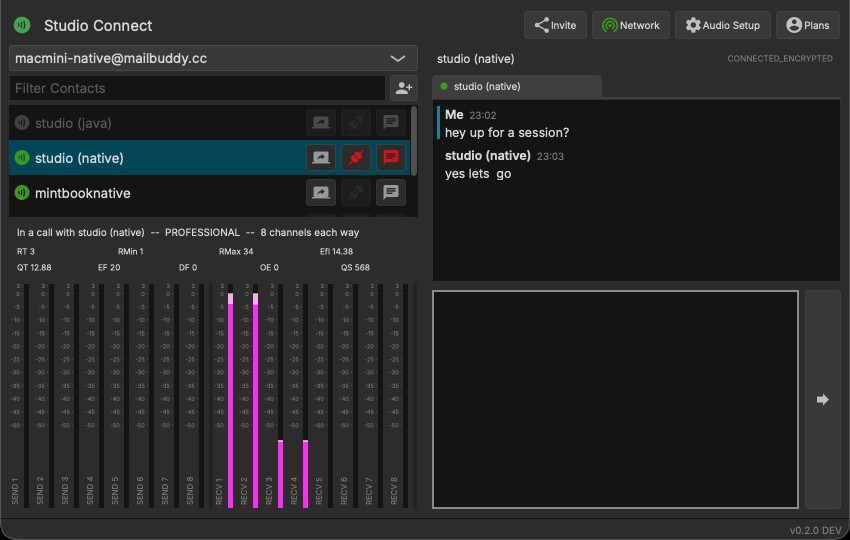
Two rooms, one session.
One person at each end, each with their own interface. That is the whole setup.
A recording session with an artist somewhere else
The singer is in another city. You run the session from your studio, they hear the backing track and the talkback, and their take lands on a track in your project, in place.
Voice-over and dialogue replacement to picture
The actor or narrator records from their own booth. They see your picture, hear the guide track, and every take lands on your timeline in place.
Confidential interviews at broadcast quality
Interview a source or a guest at full quality, straight between the two machines, encrypted end to end. There is no recording anywhere but yours.
Going through a mix, or teaching one to one
Play the mix to a mastering engineer at full quality, not through a video call. Look at their screen, or let them take yours.
Working on a production from somewhere else
The studio machine runs the session. From home you hear it at full quality, see its screen and control it.
Podcast co-hosts, or a correspondent on the line
Two hosts in two cities, each on their own track. Or live audio from a contributor straight into the station.
What is actually in it.
Straight between the two machines
Normally there is no server in the audio path. On a network that blocks a direct link, our relay passes the encrypted audio along. Eight channels each way, 32-bit float, at the session sample rate. Encrypted end to end with keys that hold up against future quantum computers, and that we never see.
Inside your DAW
Two plugins come with it. Receive sits on a track and plays what the other side sends; Send sits on a bus and sends it out. Tested in Cubase, Studio One, Ableton Live and Reaper, VST3 and AU.
Their screen on yours
Ask from the contact list. They allow view only, or hand over the mouse and keyboard. Lossless, so text stays sharp, full screen if you want it.
Contacts, chat and files
A stranger has to be accepted before anything flows. Chat with your contacts, drop files into the chat, and they go straight to the other machine, encrypted like everything else.
Two more things, same login.
Buy one and the rest sit under the same account. No separate sign-ups, no licence keys to keep track of.
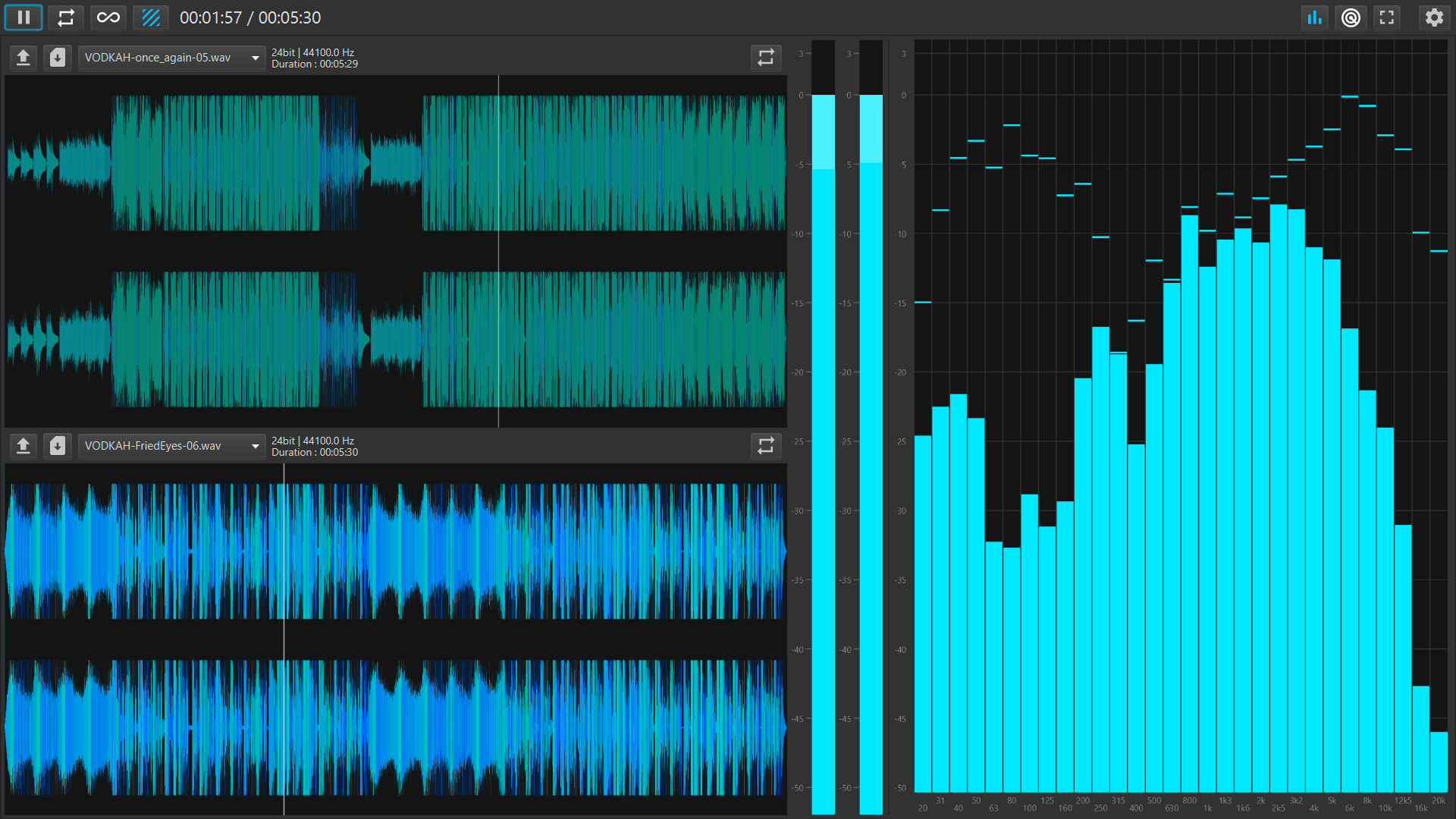

Eight slots for the references you keep coming back to. Drop files in, compare them, see what they are actually doing, and export with the tags already filled in.
- Eight slots that remember what you loaded
- Opens WAV, AIFF, FLAC, Ogg and MP3
- Analyser and vectorscope, so you can see the problem
- Exports MP3, WAV and FLAC with tags and cover art
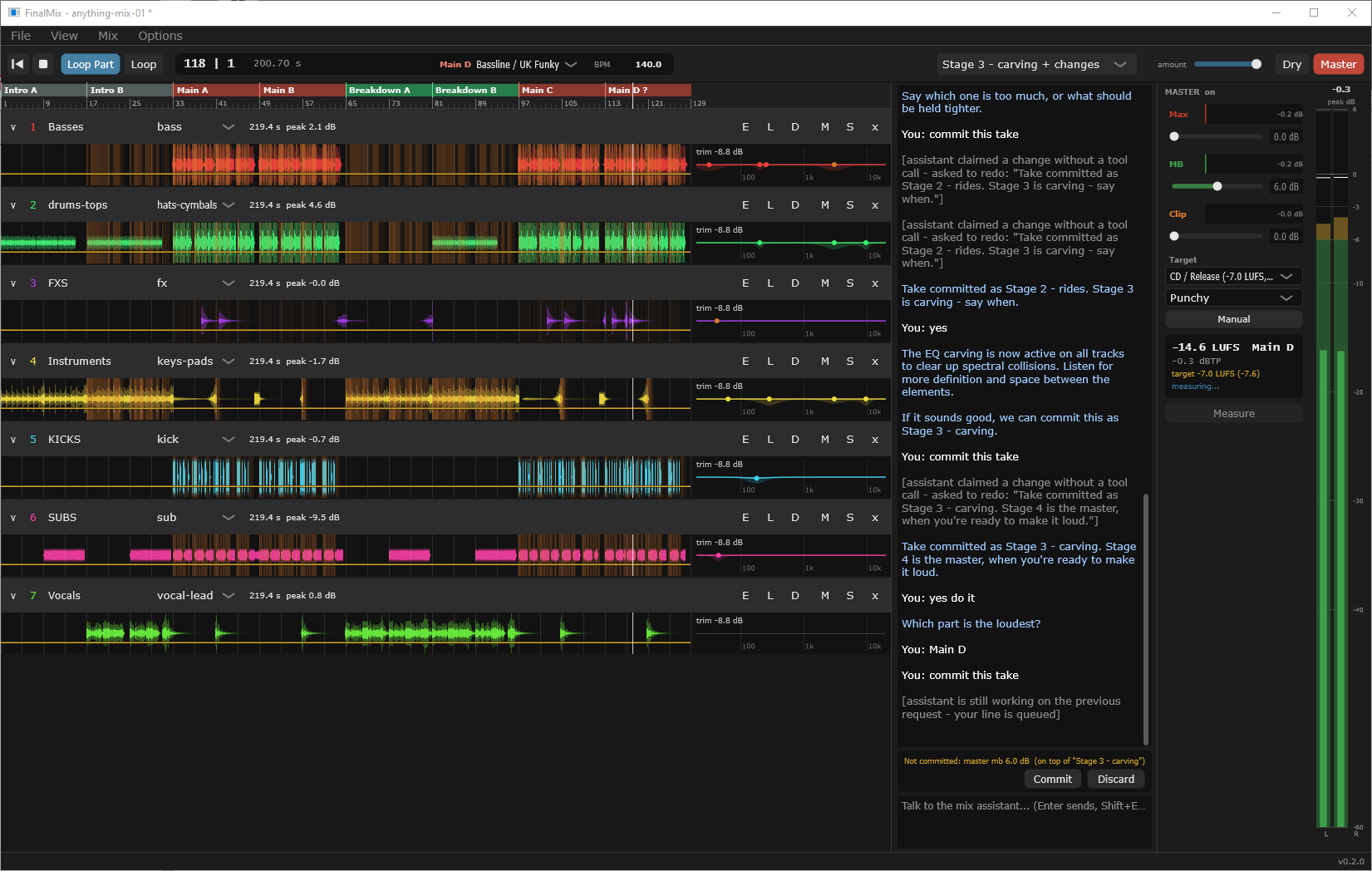
Load your stems, say what the song needs, and it makes one change at a time, telling you exactly what it did. You listen and decide whether it stays.
- Works on the stems you already have
- One stage at a time, nothing behind your back
- Compare any version against another, or against dry
- Exports a finished mix when you are happy
Where we stand.
We never hear your audio
The audio is encrypted between the two machines, with keys we never see. Even when it has to go through our relay, there is nothing here to listen to and nothing to hand over.
Made in a working studio
Everything here exists because one of us needed it on a real job and it did not exist yet. That is the only reason anything gets built.
Nobody to answer to
No investors, no ads, nothing collected to sell on. You pay for the software, and that is the whole arrangement.
Runs on your machine
Windows, Linux and Apple Silicon Macs, with the interface you already own.
Talk to us.
Tell us what you want to use Studio Connect for and we come back with what it costs for your sector. Accounts are made inside the app, not here.